NetCDF software interface.
LeoNetCDF software application has standard interface of window one
document application with intuitively understandable options.
On the screenshot
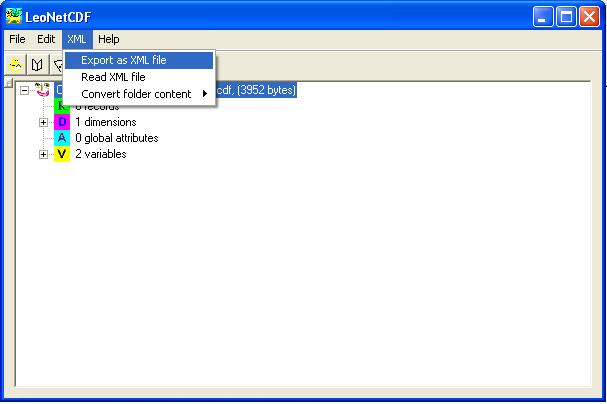
is displayed a view of the application with the opened NetCDF file. The
information is organized in a form of the tree. Icons with the
letters "D", "A" and "V" mark the branches representing Dimension,
Attribute and Variable.
LeoNetCDF permits to edit content of the file. To do it mark a corresponding
item in the tree and choose appropriate action in the menu, double
click selected item or click on the button in the toolbar. If
you will chose to create a new element or to edit existing one
a corresponding dialog box will appear.
Dimension
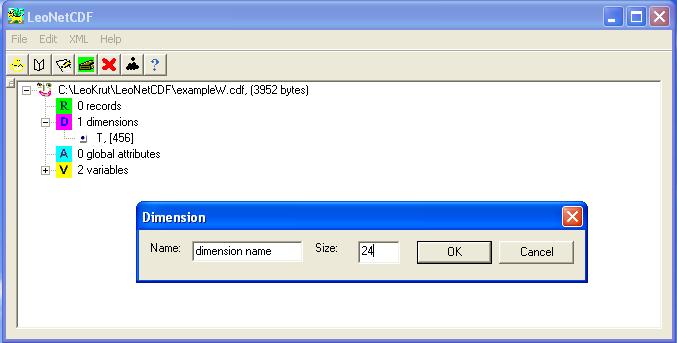
The interface of operations of adding or editing dimension are pretty
much self explained.
Attribute.
As for the attribute there is one circumstance has to be strongly emphasized.
It is a correspondence between chosen data type and data itself.
In same cases for example with attempt to set value out of interval
0 -255 for byte type the result cannot be predicted.
In case if value of attribute is an array of data each value has to
be printed in string with space or/and comma separators.
Number of elements in data will be determined de facto.
If type is a "char" all string will be taken as a value.
Variable.

There are several things important enough to mention about interface:
Dimensions are selected by name from available from collection of existing
dimensions that has to be defined in advance.
A variable has to be created before local attribute can be added to
it. The same is related to the data.
To add local attribute chose corresponding variable in tree control
and execute option - "edit". On the appeared interface of dialog box click
on button "Add attribute".
The same as for attributes a correspondence of the types of data to
actual presentation is essential.
Data.

There are two options to add data to the variable. First one could be
recommended for relatively short array of data. Just tape or
paste them in corresponding edit control and push "Ok" button. Other method
is to use prior prepared ANSI file. In both cases record have to be separated
with space or comma letters. The actual number of read will be counted.
One record can be also added and altered.
Alternatively LeoNetCDF software application permits to use XML formatted files to be read and then saved in NetCDF format and visa versa. One can find more convenient especially with the task to alter small part of very large NetCDF file to use following sequence of operations. Read file with LeoNetCDF, export it in XML format, open it with text editor like WordPad or your favorite (my is VC++), edit its content, read into LeoNetCDF and save as in NetCDF format. To find out more about syntactic of XML format compatible with NetCDF format in scope of LeoNetCDF software program look up here here.